The Importance of Regular IT Maintenance (And What It Actually Involves)
Most businesses rely on technology every day, whether that’s sending emails, accessing customer information, managing files or running essential software.
When everything is working as it should, it’s easy to take your IT systems for granted. However, without regular maintenance, small issues can gradually develop into bigger problems, resulting in unexpected downtime, security vulnerabilities and costly repairs.
So, what does IT maintenance actually involve and why is it so important for your business?
Regular IT maintenance involves monitoring, updating and checking your business’s technology to keep it secure, reliable and performing efficiently. Rather than waiting for something to go wrong, it focuses on identifying and resolving potential problems before they disrupt your operations.
In this guide, we explain what IT maintenance includes, why businesses need it and how often essential maintenance tasks should be carried out.
What Is IT Maintenance?
IT maintenance is the ongoing process of checking, updating, repairing and optimising a business’s IT systems to ensure they continue operating effectively.
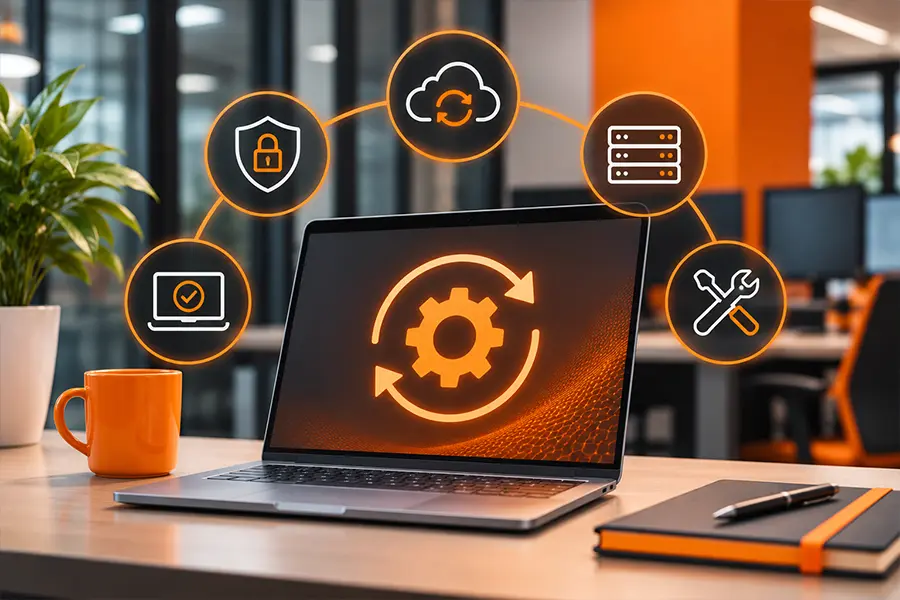
This includes maintaining computers, servers, networks, software, security systems and data backups.
There are generally two approaches to IT maintenance:
- Reactive IT maintenance: Fixing problems after something has already gone wrong, such as repairing a failed computer or restoring a disconnected network.
- Proactive IT maintenance: Regularly checking and maintaining systems to identify potential issues before they cause disruption.
While reactive IT support will always be necessary for unexpected problems, proactive IT maintenance can help businesses reduce the likelihood of those problems occurring in the first place.
For businesses that depend on technology to operate, regular maintenance should be an essential part of their overall IT strategy.
What Does Regular IT Maintenance Actually Involve?
Many business owners understand that their IT systems need maintaining, but may not know what happens behind the scenes.
Effective business IT maintenance covers several important areas, each helping to keep your technology secure and running smoothly.
Software Updates and Security Patches
One of the most important aspects of IT maintenance is ensuring that software and operating systems remain up to date.
Software developers regularly release updates to fix bugs, improve performance and address security vulnerabilities.
If these updates aren’t installed, businesses may be left using outdated software that could be vulnerable to cyber attacks.
Regular software maintenance includes:
- Installing operating system and application updates.
- Applying important security patches.
- Checking that updates have installed successfully.
- Identifying software that is no longer supported.
- Testing significant updates where necessary to minimise disruption.
The UK’s National Cyber Security Centre (NCSC) recommends applying updates that fix critical or high-risk vulnerabilities within 14 days of release, with particularly urgent vulnerabilities potentially requiring faster action.
Keeping systems updated is therefore an important part of protecting your business against cyber threats.
Hardware Checks and Performance Monitoring
Computers, servers and other IT equipment can develop problems over time.
A computer may gradually become slower, a server could begin running out of storage or ageing equipment might show signs of failure.
Regular IT maintenance helps identify these warning signs early.
Hardware maintenance can involve checking:
- Computer and server performance.
- Available storage space and memory usage.
- Hard drive health and potential failure warnings.
- Device temperatures and cooling systems.
- The condition and expected lifespan of equipment.
Identifying these issues in advance allows businesses to plan repairs or replacements rather than dealing with unexpected failures.
Network Monitoring and Maintenance
Your business network connects employees to the systems, applications and information they need.
If your network becomes unreliable, it can affect everything from internet access and cloud applications to communication between departments.
Network IT maintenance typically includes monitoring internet connectivity, checking routers and switches, reviewing firewall configurations and identifying performance issues.
Regular checks can also help identify network equipment that requires updates or replacement.
By maintaining your network, your business can reduce connectivity issues and ensure employees have reliable access to the systems they need.
Cybersecurity Checks and Updates
Cybersecurity should be a fundamental part of any IT maintenance strategy.
Cyber threats continue to evolve and security measures that were effective when first installed may become less effective if they aren’t regularly maintained.
Cybersecurity maintenance may include:
- Checking antivirus and endpoint protection software.
- Updating firewalls and other security systems.
- Reviewing user accounts and access permissions.
- Checking multi-factor authentication settings.
- Identifying potential security vulnerabilities.
- Removing unnecessary or outdated accounts.
Regular security reviews help businesses identify weaknesses that could otherwise be exploited by cybercriminals.
While IT maintenance alone cannot prevent every cyber attack, it is an important part of reducing your overall security risk.
Data Backup Checks and Recovery Testing
Business data is one of your most valuable assets, whether that’s customer information, financial records, project files or important emails.
Although many businesses have backup solutions in place, simply having a backup system doesn’t guarantee that your data can be recovered when needed.
Regular IT maintenance should include checking that backups are completing successfully, investigating errors and confirming that important information is being protected.
It should also involve periodically testing data recovery to ensure backed-up information can actually be restored.
Without these checks, a business could discover that its backups haven’t been working correctly only when it needs to recover lost information.
A reliable cloud backup solution, combined with regular monitoring and recovery testing, can help reduce the impact of data loss.
User Account and Software Licence Management
As businesses grow, employees join, change roles and leave, while new software and services are introduced.
Without regular reviews, organisations can end up with unused accounts, unnecessary software subscriptions or employees retaining access to information they no longer need.
IT maintenance can involve reviewing user permissions, removing inactive accounts, checking software licences and ensuring systems are appropriately configured.
This helps improve security while also identifying opportunities to reduce unnecessary IT spending.
Why Is Regular IT Maintenance Important for Businesses?
Regular IT maintenance isn’t just about keeping computers working. It can have a direct impact on your business’s productivity, security and operating costs.
Reduces Unexpected Downtime
When important IT systems stop working, employees may be unable to complete their everyday tasks.
Even a relatively minor issue, such as an unreliable internet connection or a failing workstation, can interrupt productivity.
By identifying potential problems early, preventative IT maintenance helps reduce the risk of unexpected disruption and keeps your business running more smoothly.
Improves Cybersecurity
Outdated software, unpatched vulnerabilities and poorly managed user accounts can create opportunities for cybercriminals.
Regular IT maintenance helps ensure security systems are updated and potential weaknesses are identified before they can be exploited.
This is particularly important for businesses handling sensitive customer information or relying heavily on cloud-based services.
Helps Control IT Costs
Waiting until technology fails can result in unexpected expenses.
Emergency repairs, replacement equipment and business downtime can all create costs that weren’t included in your budget.
Regular IT maintenance allows businesses to identify ageing equipment, plan upgrades and address smaller issues before they become more expensive problems.
Although maintenance requires ongoing investment, it can help reduce the risk of larger, unplanned costs.
Supports Employee Productivity
Slow computers, unreliable software and recurring technical problems can all make everyday tasks more frustrating and time-consuming.
By maintaining system performance and addressing recurring issues, businesses can provide employees with technology that supports their work rather than slowing them down.
Extends the Useful Life of IT Equipment
IT equipment will eventually need replacing, but regular maintenance can help businesses get more value from their existing technology.
Monitoring performance, keeping devices updated and addressing hardware problems early can help equipment remain reliable throughout its supported lifespan.
Maintenance also makes it easier to identify when replacing equipment is more sensible than continuing to repair it.
How Often Should IT Maintenance Be Carried Out?
The frequency of IT maintenance depends on your business’s size, systems and operational requirements. However, maintenance shouldn’t be treated as something that only happens once or twice a year.
A proactive approach to IT maintenance involves a combination of ongoing monitoring, regular updates and scheduled reviews to keep systems running efficiently.
Daily IT Maintenance
Daily maintenance typically involves automated system monitoring, checking that backups have completed successfully and reviewing any important security alerts. These checks help identify potential issues before they affect everyday operations.
Weekly IT Maintenance
Weekly checks may involve reviewing system performance, investigating outstanding alerts and checking that essential software updates have been applied. This helps ensure that minor technical issues don’t develop into larger problems.
Monthly IT Maintenance
Monthly maintenance often includes scheduled software updates, security checks and general system performance reviews. It’s also an opportunity to address recurring issues and make improvements to your IT systems.
Quarterly IT Maintenance
Every few months, businesses should carry out more detailed reviews of their IT infrastructure. This may include checking user access permissions, reviewing network performance, assessing storage capacity and identifying equipment that may need upgrading.
Annual IT Maintenance
An annual IT review provides an opportunity to assess the overall condition of your business’s technology. This can include reviewing your cybersecurity measures, disaster recovery arrangements, ageing equipment and future IT requirements.
It’s important to remember that these are general guidelines. Critical security updates and urgent technical issues should always be addressed promptly rather than waiting for the next scheduled maintenance check.
For many businesses, working with a managed IT support provider is an effective way to ensure regular IT maintenance is carried out consistently without disrupting daily operations.
What Happens If You Neglect IT Maintenance?
It’s easy to postpone IT maintenance when everything appears to be working correctly.
However, problems often develop gradually and by the time they become noticeable, they may already be affecting your systems.
Without regular maintenance, businesses may experience:
- More frequent IT failures and unexpected downtime.
- Increased exposure to cyber attacks.
- Slower computers and reduced employee productivity.
- Software compatibility problems.
- Greater risks of data loss.
- Higher emergency repair and replacement costs.
For example, a business might continue using an ageing server because it appears to be operating normally.
Without proper monitoring, warning signs of hardware failure could go unnoticed until the server stops working altogether.
With regular IT maintenance, those warning signs may be identified early enough to arrange a planned replacement and minimise disruption.
Ultimately, preventative maintenance helps businesses stay in control of their IT rather than constantly responding to unexpected problems.
Should Businesses Outsource Their IT Maintenance?
For businesses without a dedicated internal IT department, keeping up with regular maintenance can be challenging.
Software updates, security monitoring, backup checks and hardware management all require time and technical knowledge.
Outsourcing IT maintenance to a professional IT support provider allows businesses to access specialist expertise without needing to manage every task internally.
A managed IT support provider can monitor systems, coordinate updates, identify potential issues and provide ongoing technical assistance.
This approach helps ensure maintenance tasks aren’t forgotten or delayed because employees are focused on their day-to-day responsibilities.
It also gives businesses access to experienced IT professionals who can provide guidance on upgrades, security improvements and future technology requirements.
Keep Your Business Running Smoothly with NetVector
At NetVector, we understand that reliable IT systems are essential to keeping your business running.
Our business IT support services are designed to help organisations maintain secure, reliable and efficient technology without the frustration of recurring IT problems.
Through our flexible IT support packages, we provide services including server monitoring, software updates, remote support and ongoing IT management, with additional security, device management and maintenance options available depending on your requirements.
We take a proactive approach to helping businesses identify potential issues and maintain their IT infrastructure, allowing you to focus on running your business.
Whether you need help maintaining your existing systems or want a more structured approach to IT management, our experienced team can help.
Don’t wait for an IT failure to discover that your systems need attention.
Contact NetVector today to discuss your IT maintenance requirements and find out how we can help keep your business running smoothly.
Frequently Asked Questions About IT Maintenance
What Is IT Maintenance?
IT maintenance is the process of regularly monitoring, updating and maintaining computers, servers, networks and software to keep business technology secure, reliable and working efficiently.
Why Is Regular IT Maintenance Important?
Regular IT maintenance helps businesses prevent unexpected downtime, improve cybersecurity, maintain system performance and reduce the risk of costly technical failures. It also helps organisations plan equipment upgrades and manage their IT resources more effectively.
What Are the Main Types of IT Maintenance?
The main types include preventative maintenance, which aims to avoid problems; corrective maintenance, which fixes faults; and predictive maintenance, which uses monitoring and performance data to identify potential failures before they occur.
How Often Should a Business Carry Out IT Maintenance?
IT maintenance should be an ongoing process. Critical systems may require continuous monitoring, while software updates, security checks and equipment reviews should take place regularly according to business needs and risk levels.
What Is the Difference Between IT Support and IT Maintenance?
IT support generally involves helping users resolve technical problems, while IT maintenance focuses on keeping systems secure, updated and reliable. The two services often work together as part of a managed IT support arrangement.
Can Small Businesses Benefit from IT Maintenance?
Yes. Small businesses often depend on a limited number of devices, systems and applications, meaning even a single IT failure can cause significant disruption. Regular maintenance helps reduce risks and ensures essential technology continues to support everyday operations.